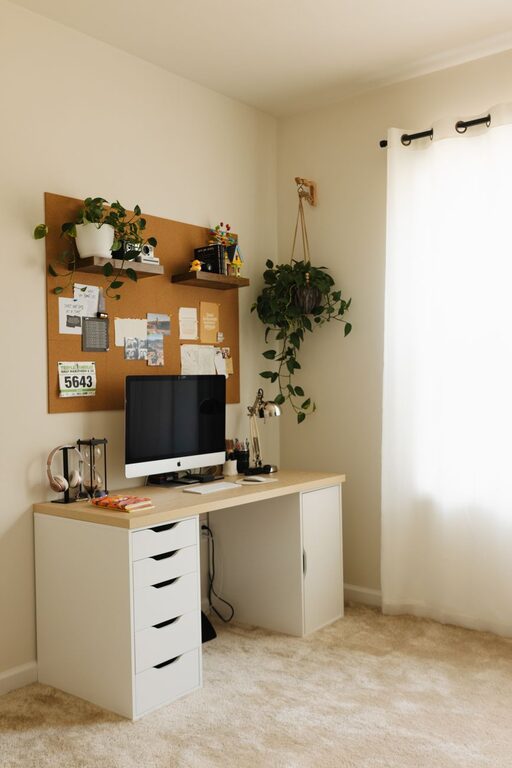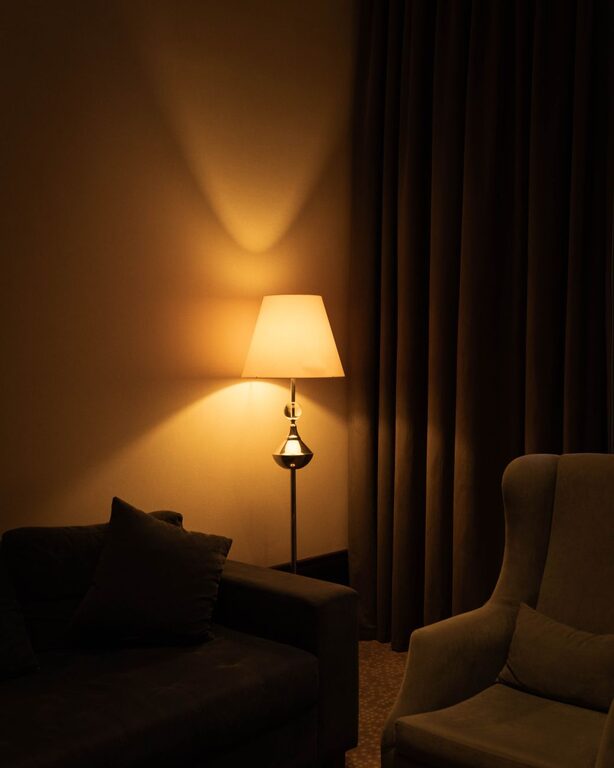

Creating a home office that is both cozy and productive is essential for anyone who works from home or spends significant time focusing on projects. A well-designed space can enhance your concentration, reduce stress, and make your workday more enjoyable. Whether you have a dedicated room or a small corner to work with, these tips will help you set up a home office tailored to your needs.
Understanding Your Space and Needs
Before buying furniture or decorating, take a moment to assess your available space and how you use it. Think about:
– The amount of room you have
– Whether you prefer natural light or softer lighting
– What equipment you need on hand (computer, printer, notebooks)
– The types of tasks you perform (creative work, meetings, writing)
Knowing these details helps you create a space that fits your work style and physical comfort.
Choosing the Right Location
Location can influence both productivity and comfort. Here are some points to consider:
– Quiet Area: Select a spot away from high-traffic areas to minimize distractions.
– Natural Light: If possible, set up near a window to benefit from daylight, which can improve mood.
– Ventilation: Good airflow keeps the space fresh and helps maintain focus.
– Accessibility: Make sure you have easy access to necessary tools and an outlet for electronics.
If your home doesn’t have an extra room, try to carve out a nook in a less-used area, like a corner of the living room or bedroom.
Investing in Comfortable Furniture
Comfort is key for long work sessions. Here’s what to look for:
– Ergonomic Chair: Supports your back and promotes good posture to prevent pain.
– Appropriate Desk: Choose a desk that fits your space and offers enough surface area for your equipment.
– Adjustable Elements: Desks or chairs that can be adjusted for height help you maintain an ergonomic setup.
– Additional Seating: If meetings or brainstorming sessions happen, consider a small cozy chair or bench for comfort.
A comfortable workspace encourages you to stay focused and reduces physical strain.
Organizing Your Workspace Effectively
Keeping your workspace tidy reduces distractions and boosts efficiency. Use these strategies:
– Declutter Regularly: Remove unnecessary items to maintain a clean environment.
– Use Storage Solutions: Shelves, drawers, and organizers keep supplies handy but out of sight.
– Cable Management: Use clips or sleeves to prevent tangled wires.
– Daily Reset: Spend a few minutes at the end of each day tidying up to start fresh the next morning.
An organized space can help clear your mind and keep projects on track.
Adding Personal Touches
Personalization makes your office feel inviting and tailored to you. Ideas include:
– Artwork or Photos: Display images that inspire or make you smile.
– Plants: Greenery adds color and fresh air, contributing to a relaxing atmosphere.
– Decorative Objects: Choose items that match your style without overcrowding the space.
– Comfort Items: A soft throw or cushion can add warmth and coziness.
These touches make your office a pleasant place you want to spend time in.
Lighting Tips for Comfort and Focus
Proper lighting reduces eye strain and creates a welcoming environment:
– Natural Light: Utilize it as much as possible, but use blinds or curtains to control glare.
– Task Lighting: A desk lamp with adjustable brightness helps focus on detailed tasks.
– Ambient Lighting: Soft, diffused lighting supports a comfortable overall atmosphere.
– Avoid Harsh Overhead Lights: These can cause glare and make the space feel cold.
Balancing different types of lighting suits various tasks throughout the day.
Incorporating Technology Thoughtfully
Technology is essential but can clutter your space if unmanaged:
– Wireless Devices: Reduce cords with wireless keyboards, mice, and printers.
– Monitor Stands: Elevate screens to eye level for better posture.
– Noise-Cancelling Headphones: Useful for blocking out distractions during calls or focused work.
– Charging Station: Designate a spot for charging all devices neatly.
Use technology to enhance your workflow without sacrificing the room’s coziness.
Establishing Boundaries and Routine
Your office space should support a healthy work-life balance:
– Set Hours: Define specific work times to help separate professional and personal life.
– Physical Boundaries: Close the door or use a room divider if possible to signal ‘work time’.
– Break Area: Step away from the desk for breaks to refresh your mind.
– Keep Work Off Comfort Areas: Avoid working on your bed or couch to maintain clear mental boundaries.
Clear boundaries help improve productivity and overall wellbeing.
Regular Updates and Improvements
As your work changes, so might your office needs. Regularly:
– Evaluate what’s working and what’s not.
– Swap out items for better organization or comfort.
– Refresh decor to keep the environment inspiring.
– Clean electronics and upholstery to maintain a fresh workspace.
Continuous adjustments ensure your office remains a cozy and productive zone.
—
Creating a cozy and productive home office is a blend of comfort, function, and personal style. By thoughtfully arranging your space with attention to ergonomics, lighting, and organization, you can cultivate an environment that encourages focus and enjoyment. Whether your office occupies an entire room or a simple corner, these tips make it possible to work efficiently and happily at home.
About the Author